Back
Blog | July 02, 2026

Stop Maintaining Spreadsheets: How PolicyNote Tracks Legislation at Scale

Legislative tracking in spreadsheets breaks down at scale. See how PolicyNote keeps your bills current so your team spends time on judgment, not upkeep.

Stop Maintaining Spreadsheets: How PolicyNote Tracks Legislation at Scale
Anna van Erven

Policy Content Strategist

A spreadsheet starts simple. Columns for bill number, title, and status. A few priority bills. Updates take fifteen minutes. Then, volume climbs during session, amendments pile up, and the tracker grows into a beast that's too hard to wrangle, and it easily becomes inaccurate.

The problem is not the spreadsheet. It is that the tracker depends on people continuously finding, entering, and organizing information that changes every day. That dependency does not scale.

The fix is not a better spreadsheet. It is moving tracking onto a system like PolicyNote that maintains the information for you, so the team spends its time on judgment instead of upkeep.

Here is how PolicyNote takes that spreadsheet maintenance off your team's plate.

The Burden Compounds Until the Team Stops Trusting the Tracker

As volume grows, maintaining the tracker becomes a job of its own, and this is particularly painful for small teams carrying this load. A group covering healthcare legislation across 25 states can be managing well over 1,000 bills. The math does not work. And as a result, spreadsheet maintence falls behind and people keep side-records because the shared one is too overwhelming.

The tracker stops being trustworthy. The sharper risk is what slips through. A bill sits quietly for weeks, then gets scheduled for a committee hearing on short notice, and by the time anyone updates the row, the window to submit testimony has already closed. When the system cannot keep pace with legislative reality, teams lose confidence in what they are working from.

How PolicyNote Reduces Spreadsheet Maintenance

See legislative activity without checking every row

Most mornings start with the same question: what moved since yesterday? On a spreadsheet, answering it means opening the file and scanning every row. PolicyNote answers it for you the moment you log in.

The Recent Updates module surfaces every bill that changed in the last few hours. 
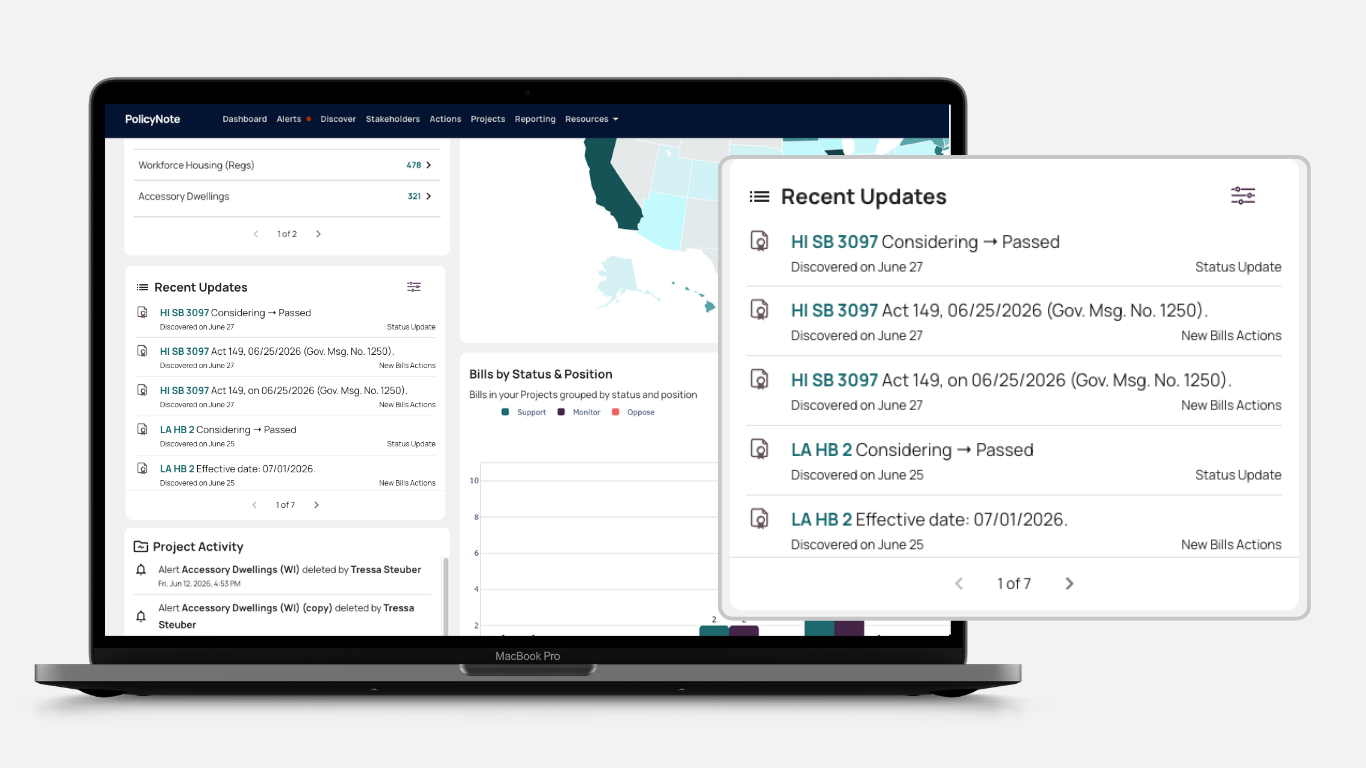
Alongside it, you can pull in the widgets that matter to your work, like a breakdown by legislative Status (e.g. passed) of your tracked bills or a Policy Map showing which states are most active.
When language does change, the harder question is what changed and when. Tracing a single data point, like a cadmium limit in animal feed, can otherwise mean reviewing two decades of amendments by hand. A Timeline collapses that into one view, laying out every amendment and change in sequence.

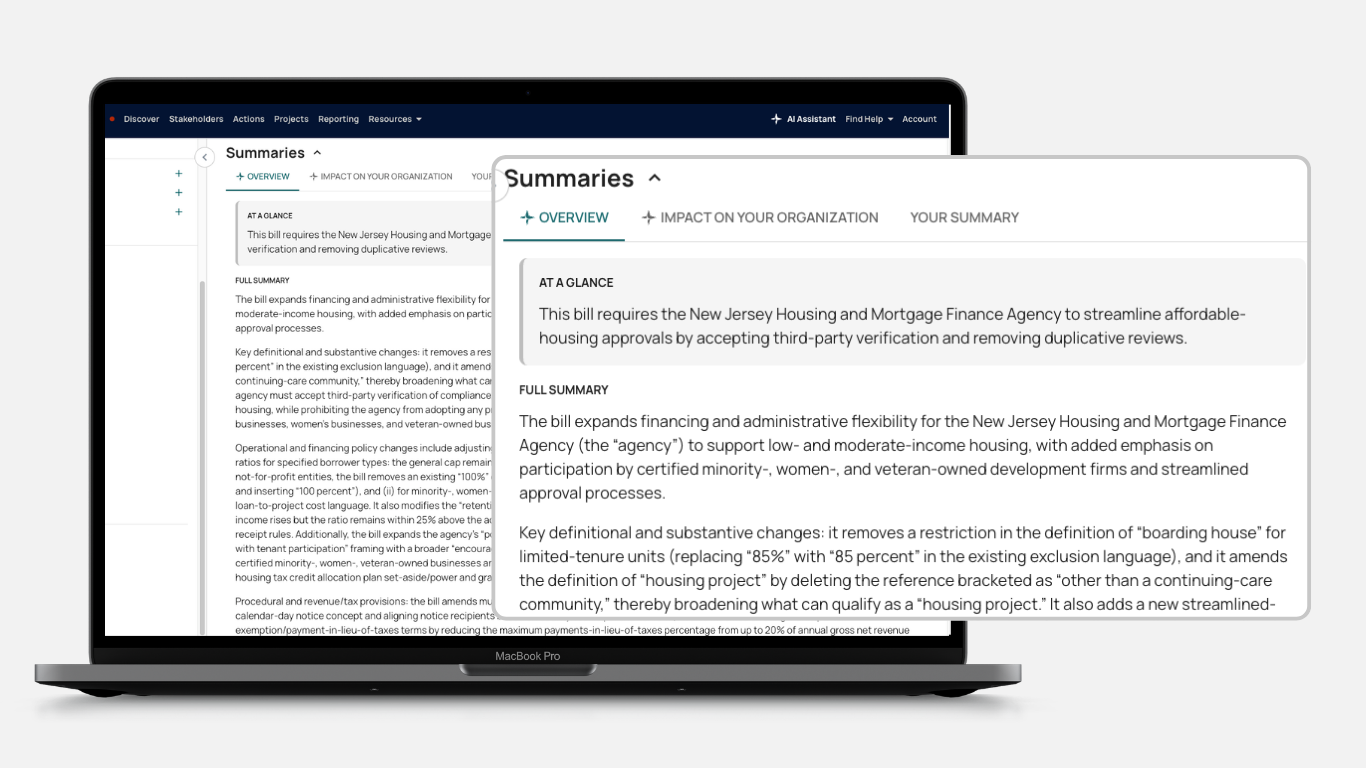
Then there are the omnibus bills convoluted enough to bury the three sections that actually matter to you. Teams read them end to end, or paste the text into a general-purpose AI tool just to get a summary. PolicyNote AI Summaries builds overviews for you, so you get a high-level and organization-specific read without leaving the platform.

Want a Closer Look at These PolicyNote Features?

Schedule My Demo

Organize the team's tracking in one shared workspace

PolicyNote lets you assign Positions (e.g. oppose) directly in the platform. You set them as you review legislation, instead of manually sorting bills by position a few times a year.

You can add notes, actions, tags, and customizable fields that let you organize bills around your workflow. Project folders group related legislation by issue area, state, or any other principle that fits your work.

Instead of each person keeping a separate tracker, the team works from one shared record connected to the underlying policy information. Platform activity is shared so you can see recent activity across your team's projects.

Build reports from current tracking information

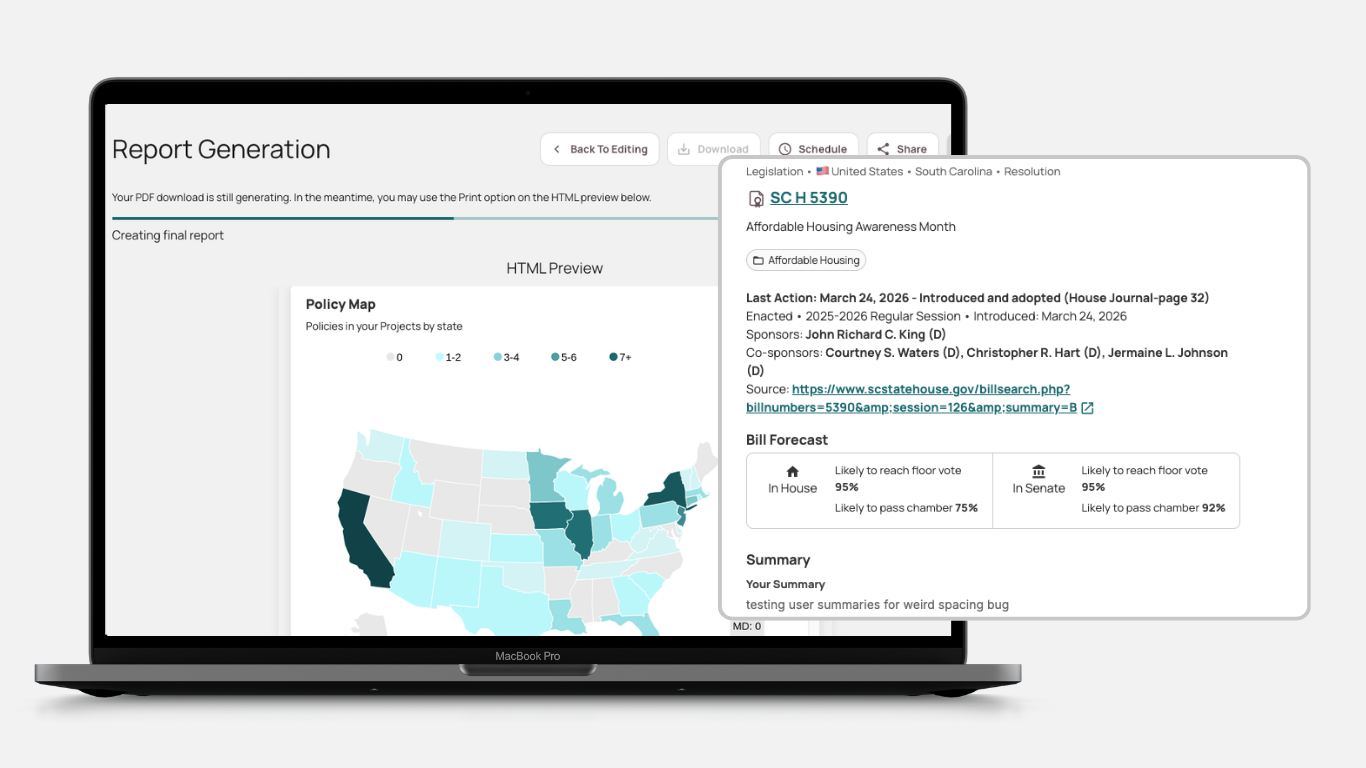
PolicyNote lets you create visual PDF reports or export data to Excel. You pick exactly which fields to include: bill number, title, status, position, priority, notes, or anything else you track. Reports can be scheduled for automatic delivery on a weekly, monthly, or custom cadence.

Teams can stop manually synthesizing and rewriting updates for business units because PolicyNote generates that reporting directly. This cuts the copy-and-paste work of turning an internal tracker into a leadership update. When a tool's Excel exports are not built for quick reference, the most expedient move is often pasting material straight into emails. Flexible reporting formats close that gap.

Excel Can Stay an Output, Not the Tracking System

You may still prefer Excel for a particular analysis, meeting, or deliverable. That preference is reasonable. Excel is powerful, familiar, and flexible.

The difference is that PolicyNote can maintain and organize the legislative information first. The team exports current information into Excel instead of building and maintaining the entire tracking system there.

A team that spends hours manually curating data for Excel-based reports can keep the Excel workflow while dropping the curation step. The platform does the work on the front end, and you export organized, current information to Excel for whatever comes next.

Next Steps

Your team's value is in reading legislation and making the call, not in maintaining rows. PolicyNote handles the upkeep so they can focus on the work that matters.

See how PolicyNote keeps your legislative tracking current without the spreadsheet maintenance. Request a demo today.